Lifto builds a complete strength-training plan around your schedule, equipment,
and experience, then runs it as a fast workout tracker. Your next workout is ready,
targets progress from the training you complete, and changes to your plan are shown as a
preview before they apply.
Already follow a program? Bring it. Lifto runs your own program without a questionnaire.
Personalized training plan and workout tracker for strength training.
Platforms
iPhone and Apple Watch (iOS 18+), plus Android and Wear OS.
Your plan
Free, on the website or in the app, with no account or email. Adults training for muscle or general strength, with dumbbells, a home gym, or a full gym.
Free
Build, review, correct, save, and export your plan. Exercise library, training history, and data export.
Lifto Pro
Start and log workouts, progression from completed training, applying adjustments, watch workouts, and the AI template builder. $9.99/month or $59.99/year. 14-day free trial for eligible new subscribers.
Own program
Build your own routine, start from a template, or import your history from Strong, Hevy, or a CSV file.
Sync
Optional Lifto account for backup and sync. The app works without one.
Scope
General, automated guidance from your answers and logged workouts. Not medical advice, no technique assessment, no rehabilitation plans.
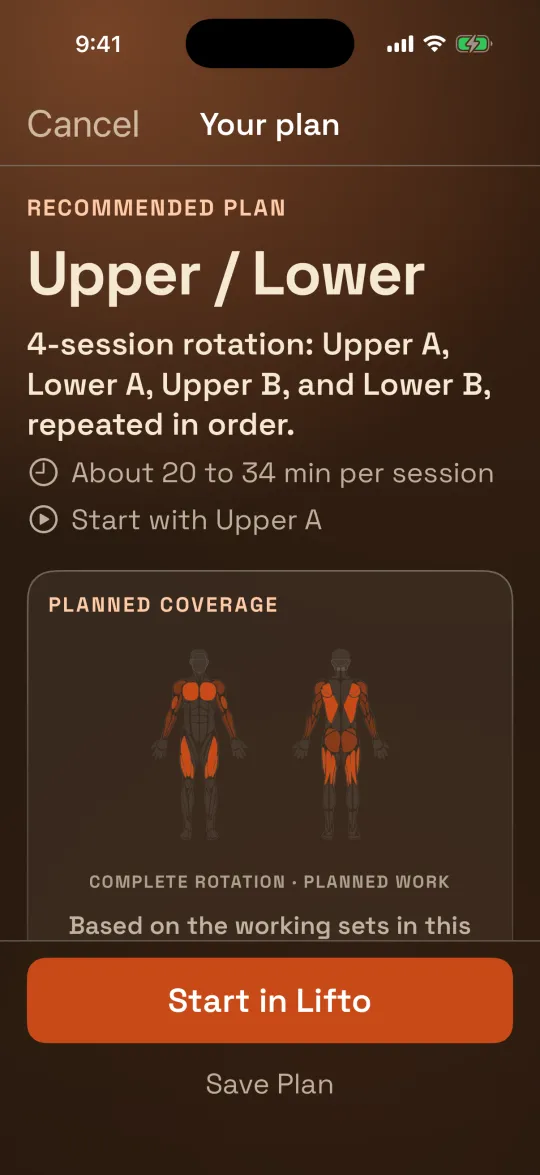
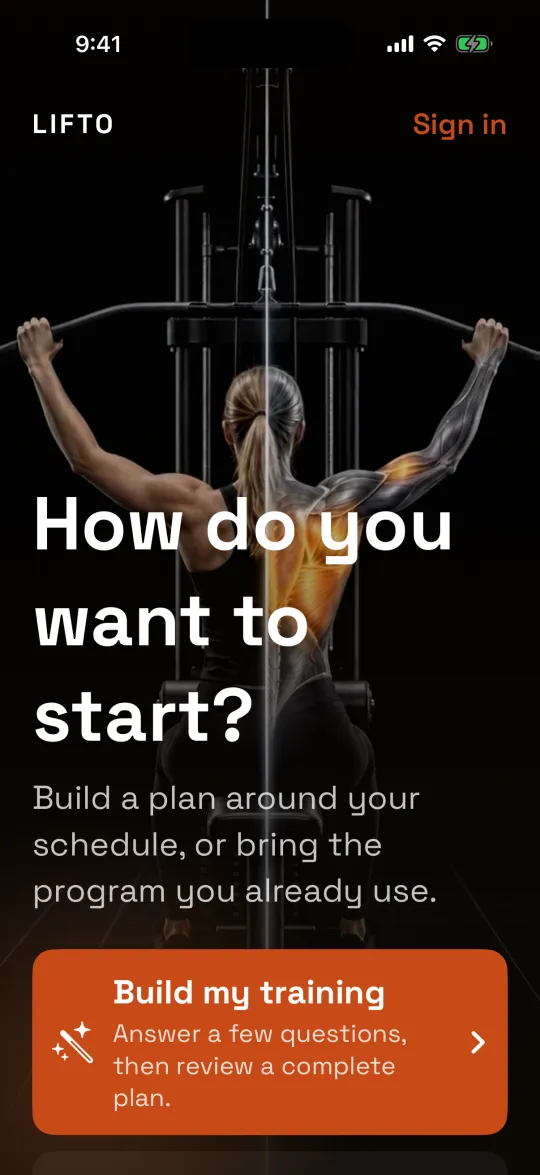
Your goal, recent training, experience, sessions, time per session, equipment,
up to three priorities, and the exercises you want to keep or avoid. Answer
"not sure" where you don't know.
2 · REVIEW
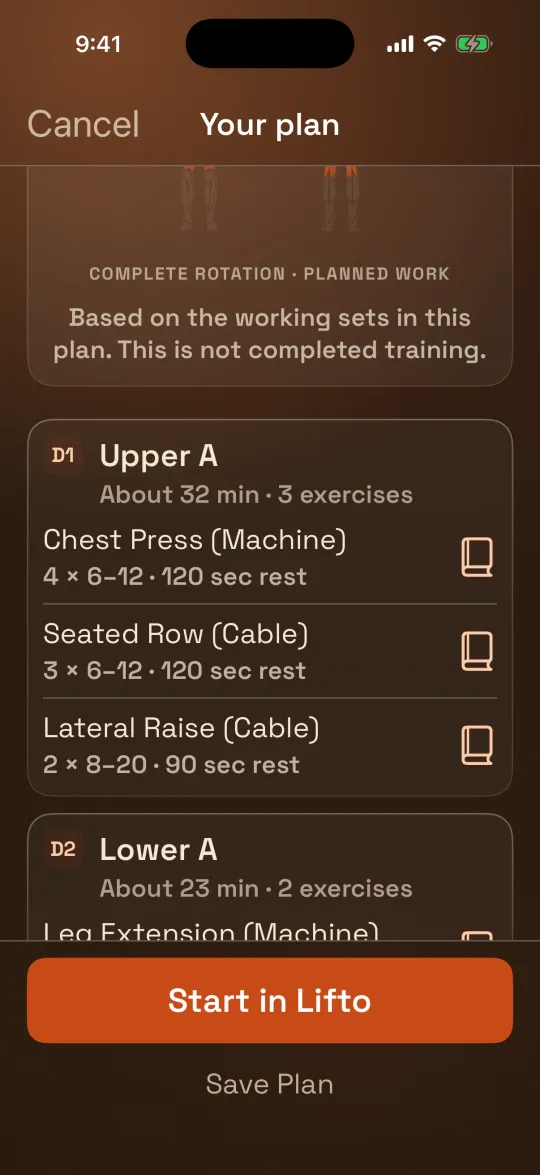
See the whole plan, free
Every session, exercise, working set, rep range, and rest period, with the estimated
time for each session, why it fits your answers, and what it assumes. Change an answer,
keep an exercise, or swap one for a reviewed alternative.
3 · TRAIN
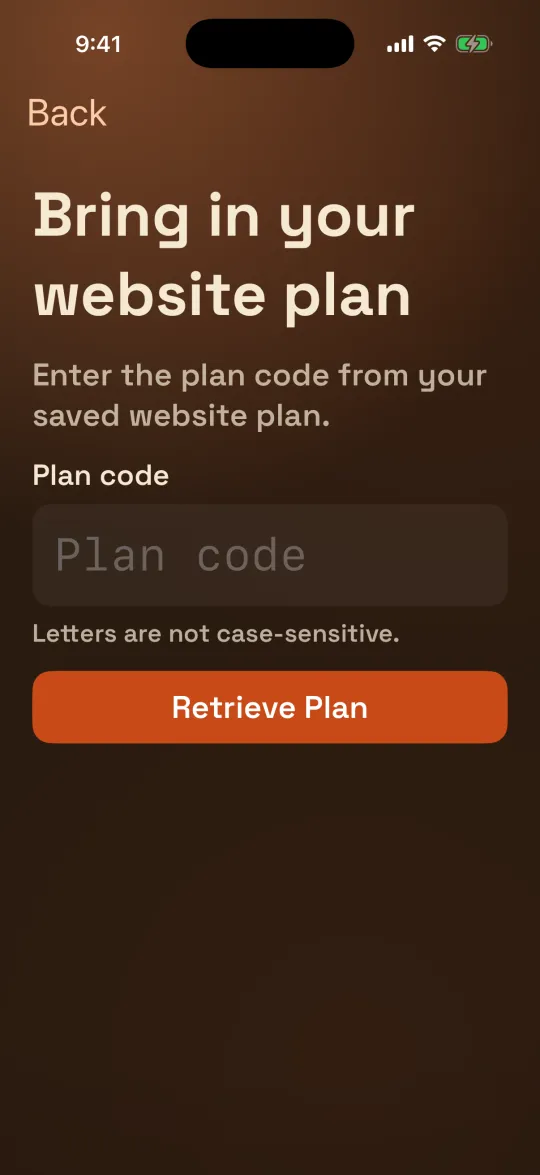
Run it in Lifto
Open the exact plan in the app with its link or plan code. Your first workout sets
your starting weights, and Lifto never guesses them. On supported exercises, a helper walks
you to one. Log sets on your phone or watch.
Plans come from fixed training rules based on published
resistance-training research, not from a chatbot. The website and the app build the same plan
from the same answers.
When things change
Adjust the real workout, not a to-do list
TODAY
Adjust workout
Less time, a busy machine, or an exercise to replace. See the shorter or changed session
before you start or mid-workout, then apply it for today only. A replacement starts from its
own history, never the old exercise's weight.
DATES OR THE PLAN
Adjust training
Fewer training days, time away, or a return after a break, for exact dates that end on
the date shown. Or change the rest of your block, or your plan from now on: Lifto shows the
new plan next to your current one, and Undo brings the previous plan back.
YOUR WORDS
Describe a change
Type or dictate what's different. Lifto asks only what changes the outcome, like 45 minutes
in total or per workout, then opens the same preview. Asking why changes nothing.
In a guided plan, targets move up only after two comparable
workouts where you logged every set and the effort it took. Missing effort never counts as
success, and one hard session holds the targets. Protect an exercise, your split, your session order, or your
progression settings, and a conflicting change names the protection before anything applies.
Features
What Lifto does
A complete plan, free: built from your answers on the website or in the app, with reasons, assumptions, and reviewed exercise alternatives.
Your next workout, ready: the Workout tab shows what's next and, for a guided plan, how long it should take. Start is always the main action.
Progression you can read: each guided exercise shows one line on why today's target is what it is. Turn automatic progression off for one exercise or all of them.
Review next target: Lifto reviews your completed sessions and says keep going when nothing needs to change. Review and preview are free; applying a change needs Pro.
Blocks counted in sessions: missed days don't count toward a block. When every planned session is done, New block starts the next one with the same plan, and you can undo it.
Optional feedback: after a workout, say whether it fit your time and how hard it felt. Repeated reports can lead to a shorter-session offer or a review, never a silent change.
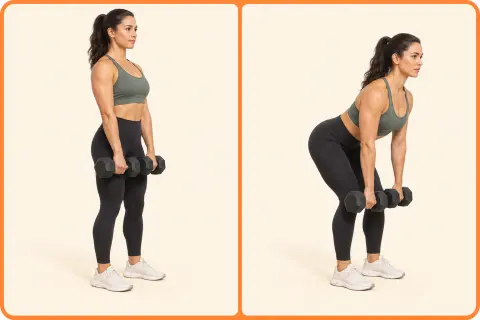
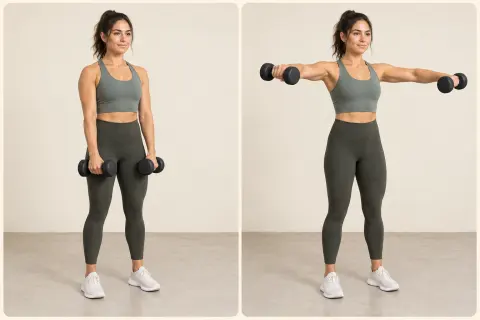
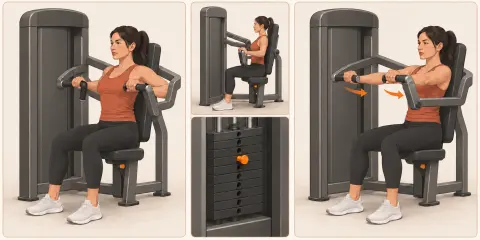
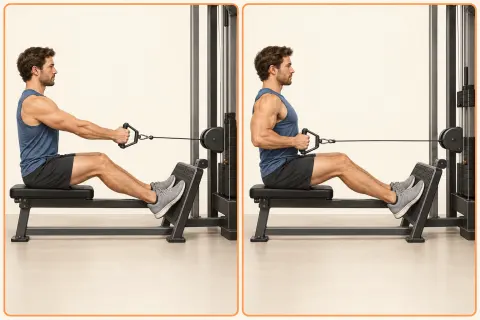
Exercise guides: setup, cues, and a picture for every exercise a guided plan can assign, and a Not for me option that lists reviewed alternatives where they exist.
Fast logging: weight, reps, and effort with previous values ready, rest timers, supersets, a plate calculator, and a warm-up calculator.
Apple Watch and Wear OS: run your workout from your wrist. On iPhone, the rest timer runs as a Live Activity.
Training changes: every applied change is listed in one place, and Undo restores future workouts where it is safe, without touching completed ones.
Your data: import from Strong, Hevy, or CSV, export anytime, and use Lifto without an account or sign in for backup and sync.
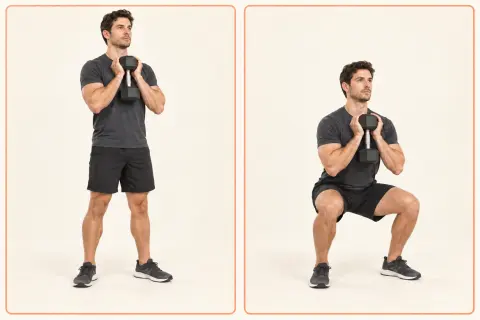
Goblet Squat (Dumbbell)
Lat Pulldown (Machine)
Romanian Deadlift (Dumbbell)
Lateral Raise (Dumbbell)
Pictures from 4 of the exercise guides in the Lifto app, each showing the start and end of the movement.
Your own program
Already have a program? Lifto runs it as written
Choose Use my own program to build your own routine, start from a template,
or bring in a shared plan. There is no questionnaire. Your exercises, rotation, and progression
settings stay as you set them, and training suggestions stay off unless you turn them on.
When you want help with one thing, like fitting a session into less time or finding an
alternative exercise, ask for it once. That never turns on ongoing changes.
If you used Lifto before guided plans, your program, history, and
workout start stay exactly as they were.
Supporting proof
See what your training covered
Lifto keeps planned training, completed training, and estimates apart. A new plan
shows planned sets per muscle, labeled as planned. Once you train, the weekly view counts the hard sets
you completed for each muscle next to what the plan called for.
Planned coverage of a sample planSets per muscle in the 4-day, 60-minute full gym plan further down. Planned work for one rotation, not completed training.
Biceps12
Hamstrings12
Lats12
Abs8
Calves (Gastroc)8
Chest8
Quads (Vasti)8
Rectus Femoris8
Planned coverage of a sample plan
Muscle
Sets
Biceps
12
Hamstrings
12
Lats
12
Abs
8
Calves (Gastroc)
8
Chest
8
Quads (Vasti)
8
Rectus Femoris
8
Side Delts
7
Forearms
6
Glutes (Maximus)
6
Rear Delts
6
Upper Back
6
Triceps
4
HARD SETS
Hard sets count
A set counts when you log 4 or fewer reps in reserve (RIR), meaning you could have done
at most 4 more reps. Warm-ups, timed holds, and easier sets are left out. A set with no
effort logged counts as hard, so with effort logging turned off, every working set counts.
CREDITS
Credit for the muscles a lift trains
An exercise's primary muscles get credit for every hard set. A secondary muscle gets credit
only when a study measured it at 70% or more of its maximum activation, and stabilizers never
do. Chin-ups count for biceps, not just lats.
RANGES
Compared with research ranges
Weekly sets are shown against general ranges from published research. They are estimates,
not a measurement of your growth or recovery, and they do not set your plan's volume.
Example: what one hard set of bench press credits
Muscle
Activation in cited study
Credited
Chest (primary)
90%
CREDITED
Triceps (secondary)
99%
CREDITED
Front delts (secondary)
69%
NOT CREDITED
A credited muscle gets the whole set, and a muscle that isn't
credited gets none. About 4 in 5 credits come from published EMG studies. The others are labeled
Empirical in the app: they come from how the movement works, without a direct EMG measurement,
and a few cite no study. In the app's exercise library, tap an exercise to see each muscle's
label and the studies it cites.
Fit check
Who Lifto is for, and who it isn't
You want a plan but don't know where to start.Answer a few questions and get a complete plan with a clear first workout.
Your schedule keeps changing.Change a workout or a dated week without starting over or pretending missed sessions happened.
You follow your own or a coach's program.Run it as written, with fast logging and no forced questions.
You want free workout logging.Lifto isn't that. Your plan and history are free, but starting and logging workouts needs Pro.
You need rehabilitation, injury, pregnancy-specific, or competition programming.Lifto doesn't cover these. Work with a qualified professional.
You train for endurance or general fitness.Lifto is built for resistance training: sets, load, and muscle-level training.
Pricing, plainly
Your plan is free. Lifto Pro runs it.
$9.99/month · $59.99/year
Free: build your complete plan, review and correct it, save it, and bring it into
the app. Browse the exercise library, create your own program, view your history, and export your data.
Lifto Pro: start and log workouts on your phone and watch, progress targets from
completed training, apply workout and program adjustments, and use the AI template builder. One
subscription covers everything. There are no add-ons or credits.
Eligible new subscribers can start with a 14-day free trial.
The app shows your price and trial terms before you subscribe.
Subscriptions renew automatically until cancelled in your App Store or Google Play settings.
Cancelling or letting Pro end keeps your plans and history viewable and exportable.
A real generated plan
4 days a week, 60 minutes, full gym
What Lifto's generator builds for someone who wants to build muscle and already trains consistently. Session 1 of 4, about 48 minutes:
Upper A
Sets
Reps
Rest
Chest Press (Machine)
4
6–12
120 s
Seated Row (Cable)
3
6–12
120 s
Lat Pulldown (Machine)
3
6–12
120 s
Lateral Raise (Cable)
2
8–20
90 s
Cable Curl
2
8–20
90 s
Tricep Pushdown (Rope)
2
8–20
90 s
Estimated minutes per sessionEach estimate includes warm-up, working sets, rest, exercise changes and setup. A full bar is the 60 minutes the plan was built for.
Yes. Answer questions about your goal, recent training, experience, schedule, session
length, equipment, priorities, and the exercises you want to keep or avoid. Lifto builds one
complete plan: every session, exercise, working set, rep range, and rest period, with an
estimated time for each session, the reasons it fits your answers, and the assumptions to
check. You can also bring your own program and skip the questions.
Is Lifto free?
Building your plan is free. You can review every detail, correct it, save it, and bring it
into the app without paying. The exercise library, your training history, and data export are
also free. Starting and logging workouts, applying changes to your plan, the AI template
builder, and watch workouts need Lifto Pro: $9.99/month or $59.99/year.
Eligible new subscribers can start with a 14-day free trial.
Do I need an account to get a plan?
No. The plan builder works on the website and in the app without an account or email
address. Your answers are sent to getlifto.app to build the plan, and the plan is kept for
365 days so its plan code can bring it back. See the Privacy Policy.
How do I move my website plan into the app?
Open the app link on your plan, or choose Bring in your website plan in Lifto and enter the
plan code. Lifto shows the same plan and does not ask the questions again. Opening the same
plan twice keeps one copy.
Can I use my own program?
Yes. Choose Use my own program to build your own routine, start from a template, or bring in
a shared plan. There is no setup questionnaire, and Lifto makes no training suggestions unless
you turn them on.
Does Lifto change my plan by itself?
Only progression runs by itself: the rule you accept with a guided plan, or the progression
you choose for your own program. You can turn either off. Every other change is shown as a
preview first, and nothing changes until you apply it.
Undo is available where it is safe, and completed workouts are never edited.
Does Lifto work with Apple Watch and Wear OS?
Yes. Lifto runs workouts on Apple Watch and on a Wear OS watch paired with the Android app.
Watch workouts need Lifto Pro.
Can I import my history from Strong or Hevy?
Yes. Lifto imports a Strong or Hevy CSV export, or another CSV file, and asks you to match
any exercise it does not recognize before importing.
Is Lifto medical advice?
No. Lifto gives general, automated training guidance based on your answers and logged
workouts. No person reviews your plan, and Lifto does not assess technique. It is not for
rehabilitation, injury, pregnancy-specific, or competition programming. Stop an exercise that
causes pain and get qualified help.
 1 · ANSWER
 2 · REVIEW
 3 · TRAIN
 Goblet Squat (Dumbbell)
 Lat Pulldown (Machine)
 Romanian Deadlift (Dumbbell)
 Lateral Raise (Dumbbell)
 Chest Press (Machine)
 Seated Row (Cable)
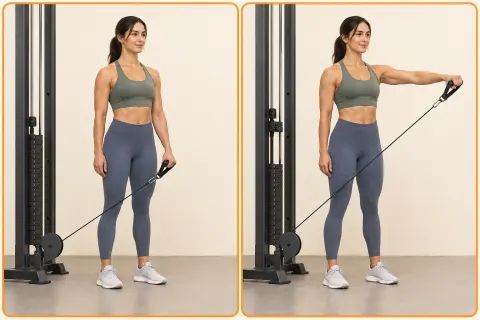 Lateral Raise (Cable)
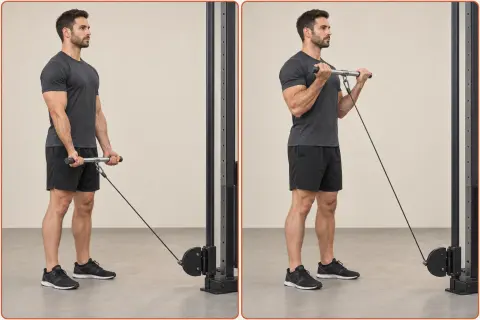 Cable Curl
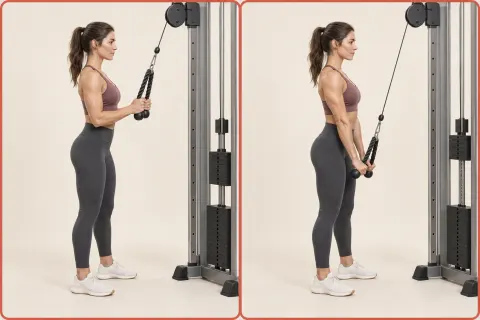 Tricep Pushdown (Rope)